Costume reveal
A slow push-in on the finished look, with fabric moving and fog drifting behind the subject.
Halloween 2026 · Image to video
Turn a Halloween still into a five-second clip with one supernatural cue. Restraint is what makes it look filmed. Fog, candlelight, and a slow camera move are enough; a fast transformation usually breaks the costume.
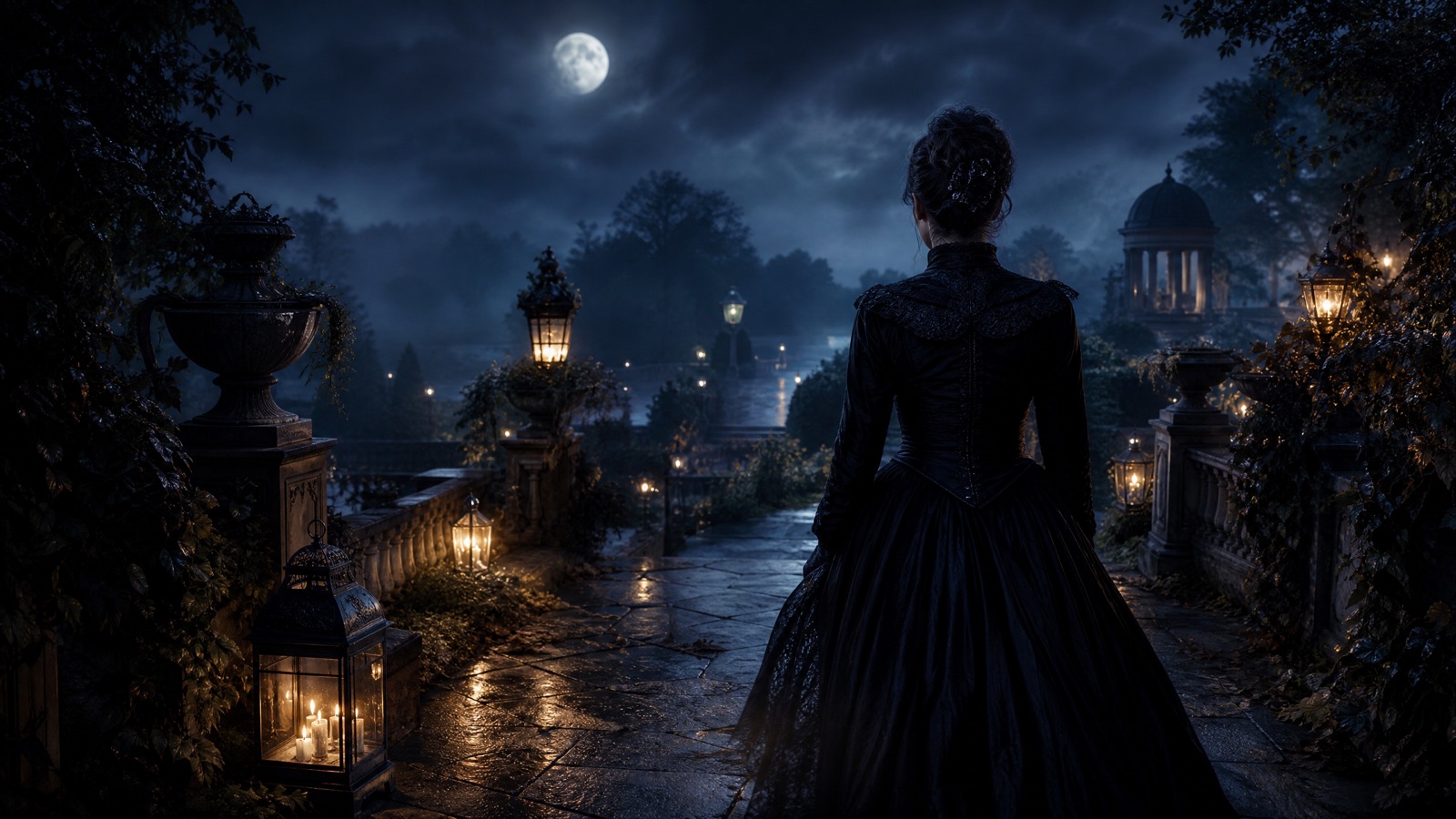
Use the finished portrait as the first frame. Add one atmospheric motion (fog, candle flicker, hair drift) and one camera move (slow push-in). Keep identity and costume locked. Review the face and hands before exporting.
Halloween 2026 falls on Saturday, October 31. Generate the still first, then animate it; editing a moving clip is harder than editing a frame.
A finished Halloween portrait or costume still
A 5-second atmospheric clip with stable identity
Kling 3.0, Veo 3.1, Sora 2, Hailuo, Gemini Omni Flash
Add music and captions for Shorts or Reels
Pick a preset, adjust the subject and scene, then copy the prompt. The optional photo preview stays in your browser: this page does not upload it. The generator is a separate site with its own terms and pricing.
Copying the prompt does not create an account or charge credits. The hosted generator opens a separate site with its own terms and pricing.
A slow push-in on the finished look, with fabric moving and fog drifting behind the subject.
A candlelit portrait where the flame flickers and the shadows breathe. The face stays still.
Two people in coordinated looks, with fog and a slow camera move. Keep both identities stable.
A costume pet portrait with a tail twitch, ear movement, and drifting autumn leaves.
Generate the costume, light, and background as an image. Animation inherits every flaw in the frame.
Fog, candle flicker, glowing eyes, or floating leaves. One cue reads as atmosphere; three read as a filter.
A slow push-in or a gentle orbit. Keep the move small so the costume and face stay readable.
Watch the face, hands, seams, and hem. If the costume drifts, reduce the motion and try again.
Use this structure as a checklist. Replace the bracketed fields, keep the protection lines, and remove anything that does not apply to your shot.
Use the uploaded image as the exact first frame and visual reference.
Create a continuous [duration]-second cinematic Halloween clip.
Atmosphere: [one cue: fog, candle flicker, drifting leaves].
Action: [subtle head turn, fabric movement, or none].
Camera: [slow push-in or gentle orbit].
Keep the face, costume, hair, and body proportions consistent.
No identity change, no extra characters, no scene cuts, no text or watermarks.These notes describe where each model tends to fit. They are not a ranking. Model availability changes by provider: WaveSpeed, SeeAPI, FAL, Replicate, and Kie all serve image and video models in this class. The hosted generator shows the available models and credit cost before you run a job.
| Model | Best fit |
|---|---|
| Kling 3.0 | Character motion and costume consistency for portrait animation. |
| Veo 3.1 | Detailed atmosphere and cinematic lighting. |
| Sora 2 | Believable fog, fabric, and candle physics. |
| Hailuo | Expressive motion for stylized social clips. |
| Gemini Omni Flash | Conversational edits after the first clip. |
The subject stays still; the environment moves. This is the safest way to animate a detailed costume.
Use the uploaded Halloween portrait as the exact first frame. Create a continuous 5-second cinematic clip. Low fog drifts slowly across a moonlit garden behind the subject. The person remains still, with only a slight fabric movement in the breeze. Slow push-in, 50mm lens, eye level. Keep the face, costume, hair, and body proportions identical. No identity change, no extra characters, no scene cuts, no text or watermarks.The flame flickers, the shadows move, and the face stays locked. One light source is enough.
Use the uploaded candlelit portrait as the exact first frame. Create a continuous 5-second cinematic clip. The candle flame flickers gently and the shadows breathe across the room. The person stays still with a calm expression. Locked-off medium close-up, 85mm lens. Keep the face, skin tone, and expression unchanged. No text, no logos, no watermarks.Two identities are harder to hold. Keep the camera move slow and the action minimal.
Use the uploaded couple portrait as the exact first frame. Create a continuous 5-second cinematic clip. Fog drifts behind the couple while their costumes move slightly in a breeze. Very slow push-in, 50mm lens, three-quarter framing. Keep both faces, costumes, and body proportions consistent. Do not add a third person. No scene cuts, no text, no watermarks.Fog, fire, lightning, and a fast zoom compete for attention. Choose one cue and let it breathe.
Quick head turns and broad gestures break costume details. Keep the performance small.
If the model redesigns the outfit, the clip no longer matches the still. Protect seams, hem, and accessories.
A soft frame gives the model less information. Start from the largest, cleanest export.
Five seconds is enough for a social loop or a reveal. Generate several short clips and cut them together for a longer video.
Yes. Some models generate audio; others do not. Add music, ambience, or a voice-over in your editor for full control.
Yes. Use the pet workflow to create the still, then animate a small ear movement, a tail twitch, or drifting leaves.
Choose the model that preserves the face and handles fog or candlelight well. Test one subtle cue on two models before committing.
Yes, if you have the rights to the source image and the model's terms allow it. Follow the platform's synthetic-media disclosure rules.
Large motion or a low-resolution source gives the model too little identity information. Reduce the motion, protect the face, and start from a sharper still.
Open the hosted generator, paste the prompt, and run one short test. Keep the first generation small; a clean five-second clip is easier to judge than a long one.
Flash Omni is an independent guide and is not affiliated with Google. The hosted generator is a separate product with its own terms and pricing.