Candlelit portrait
Warm light from below the face, deep shadows, and a dark background. Keep the skin tone natural rather than orange.
Halloween 2026 · Portrait editing
A Halloween edit should feel like a photograph taken on the night, not a sticker pack. Light, fog, and color do most of the work. The face stays recognizable; the atmosphere does the haunting.
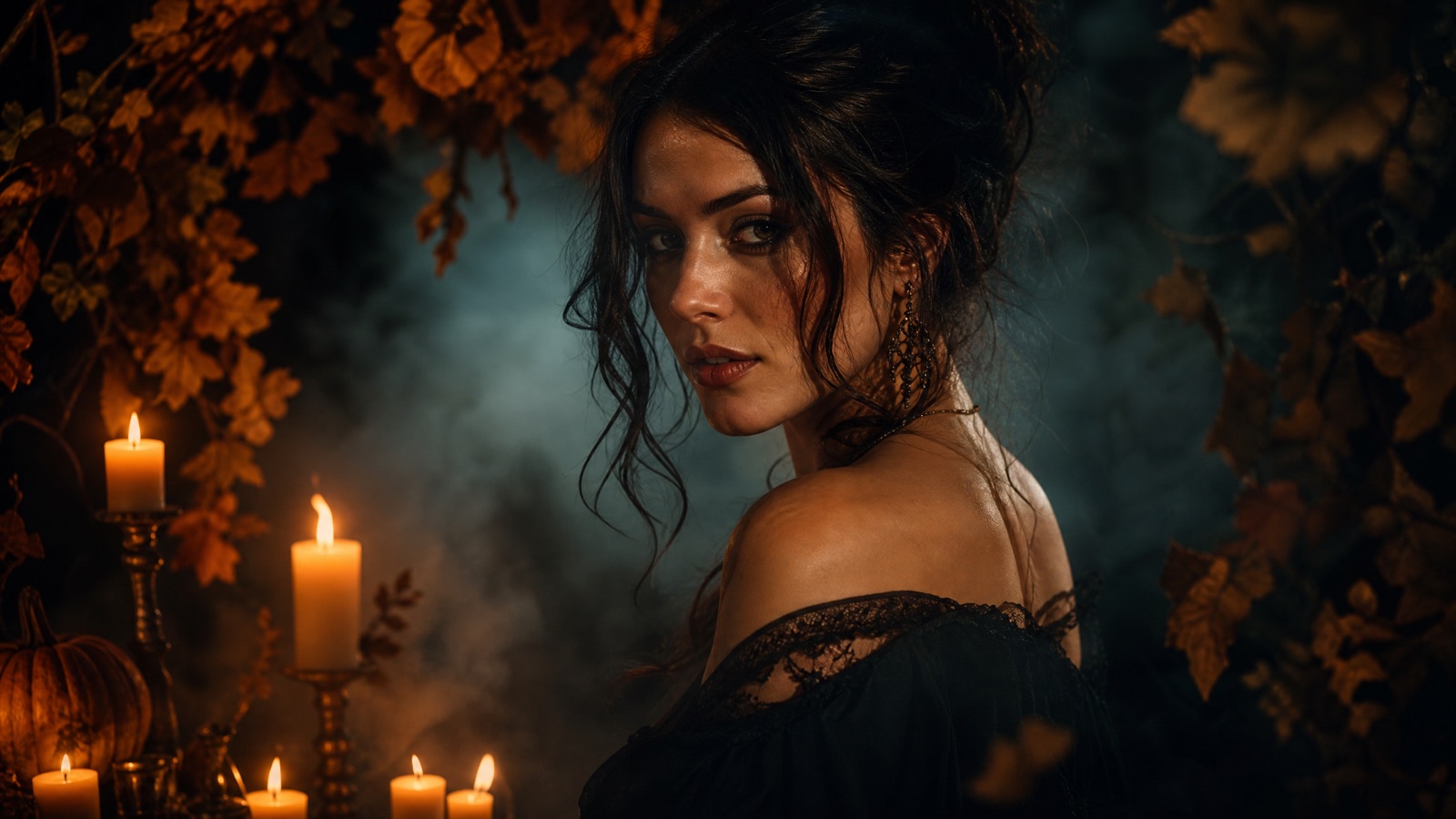
Preserve the face first, then change wardrobe, background, and light in that order. Use practical light sources such as candles, lanterns, or moonlight, and keep fog behind the subject so the face stays sharp. One light idea is enough.
Halloween 2026 falls on Saturday, October 31. Test the edit on one portrait before batch-processing a set for friends or clients.
A sharp portrait with even light and visible eyes
A cinematic Halloween portrait that still looks like you
Nano Banana 2.1, GPT Image 2, Seedream 5.0
Animate the portrait with drifting fog or candle flicker
Pick a preset, adjust the subject and scene, then copy the prompt. The optional photo preview stays in your browser: this page does not upload it. The generator is a separate site with its own terms and pricing.
Copying the prompt does not create an account or charge credits. The hosted generator opens a separate site with its own terms and pricing.
Warm light from below the face, deep shadows, and a dark background. Keep the skin tone natural rather than orange.
Cool moonlight, soft fog, and dark foliage. A warm lantern in the background adds depth.
A dim interior with practical lamps, a long corridor, and a soft haze. The subject stays in focus.
A restrained film-still treatment with grain, soft contrast, and a muted palette. No gore.
Sharp eyes, even light, and a neutral expression. The edit will preserve what the source gives it.
Name face, skin tone, age, and expression. Add “no plastic skin” and “keep natural texture” to the prompt.
Candle, lantern, or moon. Say where it is and what it lights. Two competing sources make the face look pasted in.
Fog in front of the face reduces detail. Put the haze in the background and keep the eyes sharp.
Use this structure as a checklist. Replace the bracketed fields, keep the protection lines, and remove anything that does not apply to your shot.
Use the uploaded photo as the primary reference.
Preserve: face, skin tone, age, expression, body proportions, and pose.
Wardrobe: [costume or dark outfit].
Scene: [garden, hallway, studio], [fog, leaves, candles].
Light: [one practical source], [direction], [rim light].
Finish: cinematic, natural skin texture, soft film grain.
Avoid: altered identity, plastic skin, extra people, text, logos, watermarks.These notes describe where each model tends to fit. They are not a ranking. Model availability changes by provider: WaveSpeed, SeeAPI, FAL, Replicate, and Kie all serve image and video models in this class. The hosted generator shows the available models and credit cost before you run a job.
| Model | Best fit |
|---|---|
| Nano Banana 2.1 | Identity-preserving portrait edits with reference photos. |
| GPT Image 2 | Detailed lighting instructions and clean composition. |
| Seedream 5.0 | Photoreal skin, fabric, and atmospheric texture. |
The candle is the key light; the background stays dark. Do not let the model turn the skin orange.
Use the uploaded portrait as the primary reference. Preserve the face, skin tone, age, expression, and pose. Dress the person in an elegant dark outfit with subtle metallic details. Place them in a dark room with a single candle, soft fog, and deep shadows. Medium close-up, 85mm lens, shallow depth of field. Warm candlelight from below, cool rim light from behind. Keep natural skin texture. No text, no logos, no watermarks.Cool light and a distant warm lantern create separation without turning the image into a costume poster.
Use the uploaded portrait as the primary reference. Preserve the face, skin tone, expression, and body proportions. Add a dark romantic outfit with a long coat and silver accessories. Place the person in a moonlit garden with soft fog, dark autumn foliage, and a distant lantern. Three-quarter portrait, 50mm lens, eye level. Cool moonlight from the left, warm lantern rim from behind. Keep the face recognizable. No extra people, no text, no logos, no watermarks.A hard side light and film grain do the work. Restraint keeps the portrait usable beyond Halloween.
Use the uploaded portrait as the primary reference. Preserve the face, skin tone, and expression. Dress the person in a dark period-inspired suit or dress. Dark studio with a textured backdrop and a single hard light from the right. Close-up, 75mm lens, strong shadow on one side, soft film grain. Keep natural skin texture and a recognizable face. No blood, no gore, no text, no logos, no watermarks.Unless the character requires it, keep the skin tone natural. Healthy skin makes the scene feel photographed.
Fog in front of the face hides the eyes. Keep the haze in the background and the face sharp.
A Halloween edit should still look like the person. Protect identity before describing the costume.
Props compete with the face. Choose one environmental detail, such as a lantern or a bare tree.
Yes, but use the couple workflow for two people. Group edits need each face protected and the same number of people stated explicitly.
Yes. Name the frames as a protected detail and check the reflections and edges after the edit.
Say “preserve skin tone” and “natural skin texture”. Review the result under the new light; colored light can shift skin in unexpected ways.
Yes. Use the Halloween video workflow to add fog drift, candle flicker, or a slow push-in without changing the face.
Use a reference-first model for identity preservation and a photoreal model for skin and fabric. Compare one portrait on two models before batch-processing.
This page builds the edit prompt locally. The actual edit runs in your image model or in a hosted workflow.
Open the hosted generator, paste the prompt, and run one short test. Keep the first generation small; a clean five-second clip is easier to judge than a long one.
Flash Omni is an independent guide and is not affiliated with Google. The hosted generator is a separate product with its own terms and pricing.