Character key art
One well-lit character frame that can be animated with a head turn or a slow push-in. Keep the hands visible and the silhouette clean.
Image generation · Workflow guide
A video prompt can only animate what the still gives it. If the frame has cropped hands, a busy background, or contradictory light, the motion model inherits every problem. This guide treats the image prompt as the first half of a video workflow: build a frame that is clean enough to move.
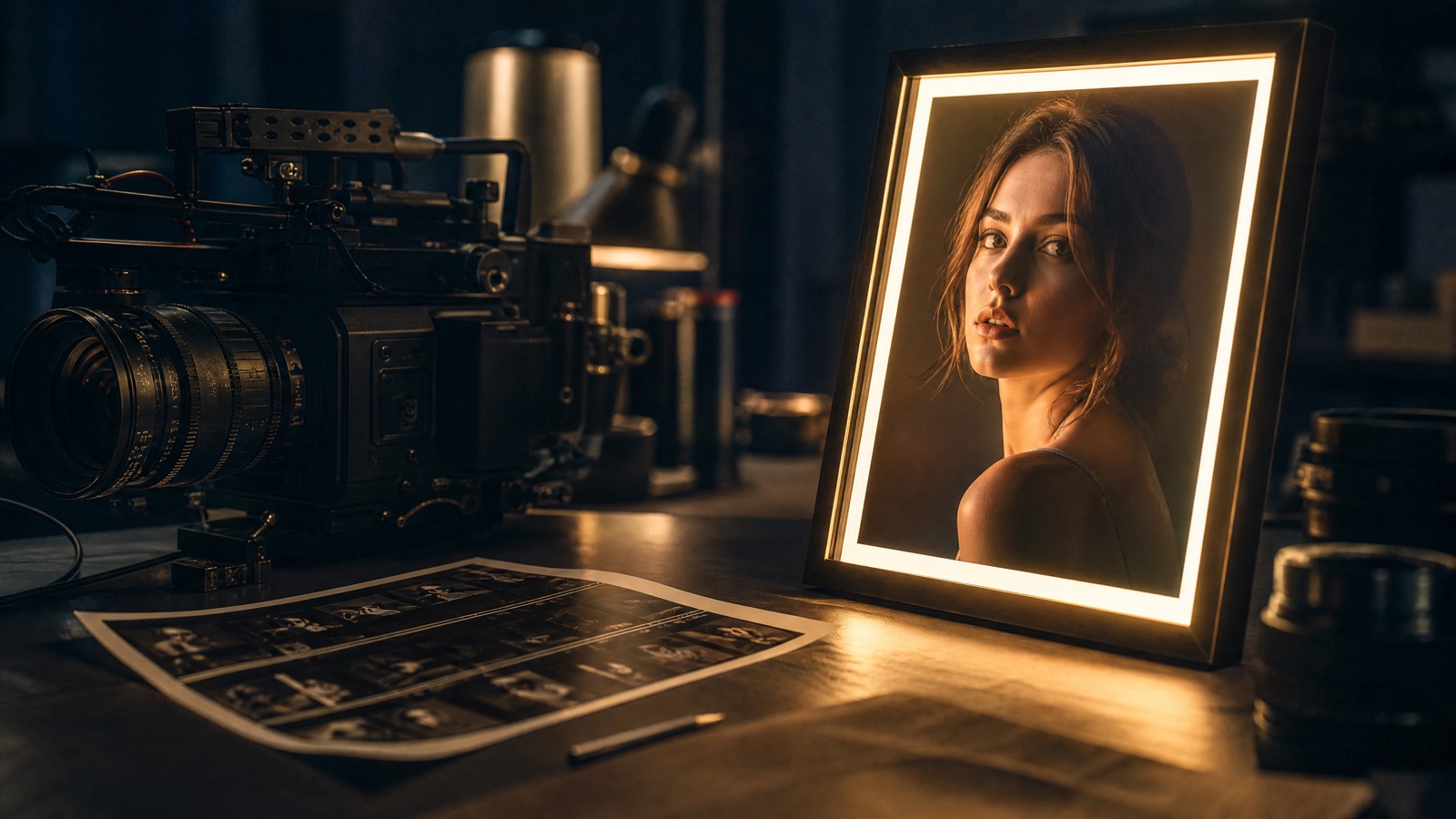
Use an AI image generator to create one well-lit frame with a clear subject, uncluttered edges, and room for motion. Specify subject, framing, light, lens, and what must stay consistent. Then animate that frame with an image-to-video model instead of asking one model to invent the scene and the motion at once.
A clear idea and, for edits, one reference photo
One 16:9 or 9:16 frame with clean negative space
GPT Image 2, Nano Banana 2.1, Seedream 5.0, FLUX 2
Animate the finished frame on Flash Omni
Pick a preset, adjust the subject and scene, then copy the prompt. The optional photo preview stays in your browser: this page does not upload it. The generator is a separate site with its own terms and pricing.
Copying the prompt does not create an account or charge credits. The hosted generator opens a separate site with its own terms and pricing.
One well-lit character frame that can be animated with a head turn or a slow push-in. Keep the hands visible and the silhouette clean.
A packshot or lifestyle still with protected label placement. The image becomes the first frame of a product video.
A wide location frame with a stable horizon and clean edges. Use it for real-estate, travel, or b-roll motion.
A concept frame for a look, outfit, or seasonal idea. Add motion later without redesigning the costume.
Name the deliverable before writing the prompt: a portrait, a product hero, a room, or a background plate. The job determines framing, lens, and how much negative space you need.
Choose the aspect ratio and camera height first. Keep the full subject in frame and leave space in the direction of the intended movement.
Say where the light comes from, what it hits, and what texture should be visible. “Soft window light from camera left” is more useful than “beautiful lighting”.
Avoid cropped hands, extreme poses, and cluttered edges. A calm, readable frame gives the video model fewer things to invent.
Use this structure as a checklist. Replace the bracketed fields, keep the protection lines, and remove anything that does not apply to your shot.
Create a [aspect] [format] of [subject].
Styling: [wardrobe, materials, color].
Scene: [location, time of day, weather].
Camera and framing: [shot size, lens, angle, negative space].
Light and finish: [key light, rim light, texture, realism].
No text, no letters, no logos, no watermarks, no extra limbs.These notes describe where each model tends to fit. They are not a ranking. Model availability changes by provider: WaveSpeed, SeeAPI, FAL, Replicate, and Kie all serve image and video models in this class. The hosted generator shows the available models and credit cost before you run a job.
| Model | Best fit |
|---|---|
| GPT Image 2 | Instruction following, clean composition, and reliable text-free stills when the prompt explicitly forbids lettering. |
| Nano Banana 2.1 | Reference-led edits and identity preservation when you start from a photo. |
| Seedream 5.0 | Photoreal textures, fabric, skin, and product materials. |
| FLUX 2 | Stylized and cinematic looks with strong prompt adherence. |
The empty space on the right is intentional. It becomes the direction of a slow push-in when the still is animated.
Create a 16:9 cinematic portrait of a woman with shoulder-length dark hair, calm expression, natural skin. Charcoal turtleneck, subtle silver jewelry. Dark studio, deep charcoal backdrop. Medium close-up, 85mm lens, eye level, generous copy space on the right. Soft key light from camera left, cool rim light. No text, no logos, no watermarks.A product still only works as a video reference if the label and silhouette are exact. Say that twice, in different words.
Create a 16:9 premium product still of a matte black perfume bottle with an amber cap. Dark stone plinth, soft gradient background, fine mist in the air. Low angle, 100mm macro, centered, clean space above. Amber rim light. Keep the bottle shape, cap, and label placement exact. No text, no logos, no watermarks.A wide, level frame gives the camera somewhere to travel. Do not let the model invent furniture or move a window.
Create a 16:9 architectural still of a modern living room with floor-to-ceiling windows at twilight. Warm interior lamps, city skyline outside, clean lines, no clutter. Wide 24mm lens, eye level, stable horizon, space for a slow dolly. Keep the architecture, window layout, and furniture placement consistent. No people, no text, no logos.One subject per frame. A crowd gives the motion model too many identities to track and too many faces to keep stable.
Hands are the first thing to break in animation. Keep them inside the frame and relaxed, or keep them out of sight entirely.
Do not mix sunset, neon, and studio softbox in one prompt unless you can explain which one is the key light.
Generated lettering is still unreliable. Add typography after generation if the layout needs words.
An AI image generator turns a text description into a still image. In a video workflow, the still is the first frame: it sets composition, identity, and lighting before any motion is added.
Start with the model you can iterate on quickly. Use a reference-first model for identity edits, a photoreal model for products and skin, and a stylized model when the look matters more than documentary accuracy.
Use a clear reference photo, name the facial features that must stay, and avoid changing wardrobe, background, and lighting all at once. Change one layer per pass.
Use 16:9 for landscape video, 9:16 for Shorts and Reels, and 1:1 only when the destination requires a square crop. Choose the ratio before generating; do not rely on cropping later.
Yes. Open the image-to-video workflow, upload the finished frame, and describe motion and camera movement. Keep the first animation subtle so identity and anatomy stay stable.
No. This page builds and copies the prompt locally in your browser. Generation happens in your image model, and the video step happens on Flash Omni.
Open the hosted generator, paste the prompt, and run one short test. Keep the first generation small; a clean five-second clip is easier to judge than a long one.
Flash Omni is an independent guide and is not affiliated with Google. The hosted generator is a separate product with its own terms and pricing.