Cowboys and angels
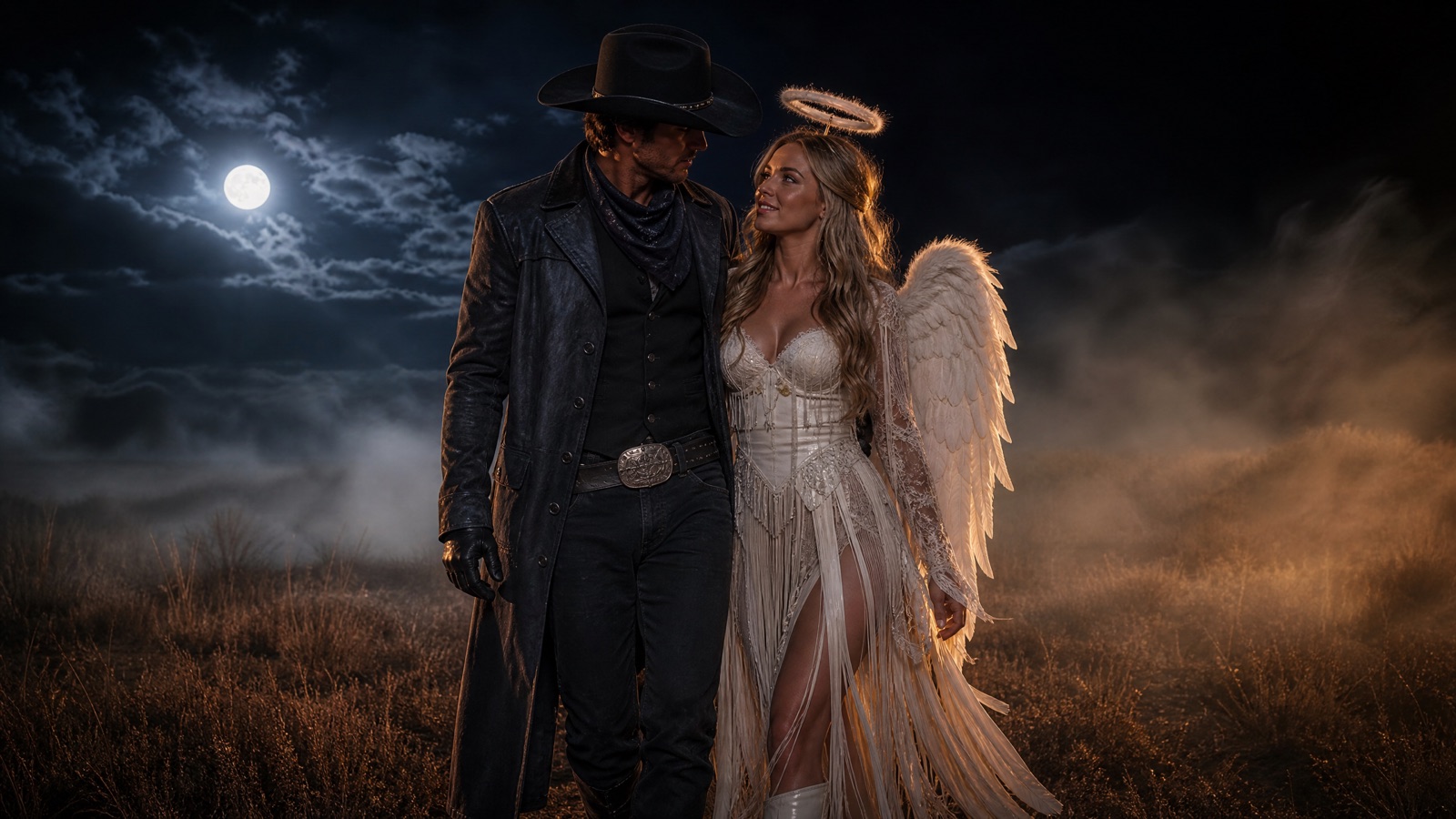
An original western-and-celestial pair: wide-brim hats, soft wings, warm dust, and cool moonlight.
Halloween 2026 · Couple costume ideas
Two-person edits need two identity anchors. The best couple costume is not just two outfits; it is one shared scene. Use the preview to compare silhouettes, palettes, and props before you buy or build anything.
Upload two clear photos, label each person, and protect both identities before describing the shared scene. Ask for exactly two people, the same as the references. Check faces, hands, and eye lines. Choose a coordinated theme, not two unrelated costumes.
Halloween 2026 falls on Saturday, October 31. Generate the couple portrait early; two-person edits need more review passes than single portraits.
Two sharp, front-facing photos with even light
One portrait with two recognizable people
Nano Banana 2.1, GPT Image 2, Seedream 5.0
Animate the portrait as a couple clip
Pick a preset, adjust the subject and scene, then copy the prompt. The optional photo preview stays in your browser: this page does not upload it. The generator is a separate site with its own terms and pricing.
Copying the prompt does not create an account or charge credits. The hosted generator opens a separate site with its own terms and pricing.
An original western-and-celestial pair: wide-brim hats, soft wings, warm dust, and cool moonlight.
Coordinated sci-fi looks with metallic accents and a shared color palette. No copyrighted characters.
Black velvet, lace, silver details, and a moonlit garden. Elegant rather than gory.
Two complementary masks and formal outfits. Keep the eyes and faces recognizable.
Each person needs a sharp, front-facing photo. One group photo is not enough if a face is small or turned away.
Call them Person A and Person B, and describe which reference controls which face. This reduces face swapping.
The costumes should look like they belong in the same scene: matching palette, era, or level of formality.
Say “exactly two people”. Group edits often add a third figure in the background.
Use this structure as a checklist. Replace the bracketed fields, keep the protection lines, and remove anything that does not apply to your shot.
Use reference A for Person A and reference B for Person B.
Preserve both faces, skin tones, ages, body proportions, and the number of people (exactly two).
Theme: [coordinated costume idea for both].
Scene: [shared location, time of day, atmosphere].
Camera: [two-shot framing, lens, angle].
Light: [key light, rim light, background].
Avoid: face swapping, blended identities, a third person, distorted hands, text, logos, watermarks.These notes describe where each model tends to fit. They are not a ranking. Model availability changes by provider: WaveSpeed, SeeAPI, FAL, Replicate, and Kie all serve image and video models in this class. The hosted generator shows the available models and credit cost before you run a job.
| Model | Best fit |
|---|---|
| Nano Banana 2.1 | Multi-reference edits with strong identity preservation. |
| GPT Image 2 | Detailed shared-scene instructions and clean composition. |
| Seedream 5.0 | Photoreal fabric, skin, and atmospheric texture. |
The theme is coordinated, not identical. Warm leather and cream connect the two looks.
Use reference A for Person A and reference B for Person B. Preserve both faces, skin tones, ages, body proportions, and exactly two people. Create an original western look for one person and a celestial look for the other, coordinated in warm leather, cream, and silver. Place them in a foggy moonlit field with dry grass and a distant fence. Two-shot, 50mm lens, eye level, full costumes visible. Do not swap or blend faces. No third person, no text, no logos, no watermarks.One long coat and one flowing dress create a shared silhouette without matching costumes.
Use reference A for Person A and reference B for Person B. Preserve both faces, skin tones, and body proportions; exactly two people. Create coordinated gothic looks in black velvet, lace, and silver: one long coat and one flowing dress. Moonlit Victorian garden with fog and glowing lanterns. Two-shot, 85mm lens, eye level, shallow depth of field. Keep both faces recognizable. No face swapping, no third person, no text, no logos, no watermarks.Masks can hide identity. Choose designs that leave the eyes and face visible.
Use reference A for Person A and reference B for Person B. Preserve both faces, skin tones, and body proportions; exactly two people. Create coordinated formal outfits with two complementary masks that leave the eyes and faces visible. Candlelit ballroom with dark walls and warm practical lights. Two-shot, 50mm lens, eye level, medium-full framing. Do not cover the eyes completely. No face swapping, no third person, no text, no logos, no watermarks.A single group photo often gives one face too few pixels. Use one clear reference per person.
If the references are not labelled, the model can assign the wrong face to the wrong body. Label each person explicitly.
Background figures appear when the count is not stated. Write “exactly two people”.
Two people lit from different directions look composited. Describe one shared lighting setup.
Yes. Use one clear, front-facing photo per person and label which reference controls which face.
It can when both references are sharp and you protect both identities explicitly. Review the eyes, hairlines, and jawlines before sharing.
The lower-resolution person is more likely to drift. Use the best photo you have, or generate a solo portrait first and composite later.
Group edits are possible but harder. Each face needs a reference, and the prompt must state the exact number of people.
Yes. Keep the motion small: fog drift, a slight head turn, or fabric movement. Two identities are harder to hold than one.
Use a multi-reference model with strong identity preservation. Test one portrait on two models and compare face stability.
Open the hosted generator, paste the prompt, and run one short test. Keep the first generation small; a clean five-second clip is easier to judge than a long one.
Flash Omni is an independent guide and is not affiliated with Google. The hosted generator is a separate product with its own terms and pricing.