Pumpkin pet
A soft pumpkin-inspired costume with a small leaf accessory. Keep the eyes and ears clear.
Halloween 2026 · Pet costume ideas
Pet costume shopping is guesswork. A preview lets you compare the silhouette, color, and prop before you buy something your pet will hate. The prompt must protect fur, markings, eye color, and anatomy before it adds the costume.
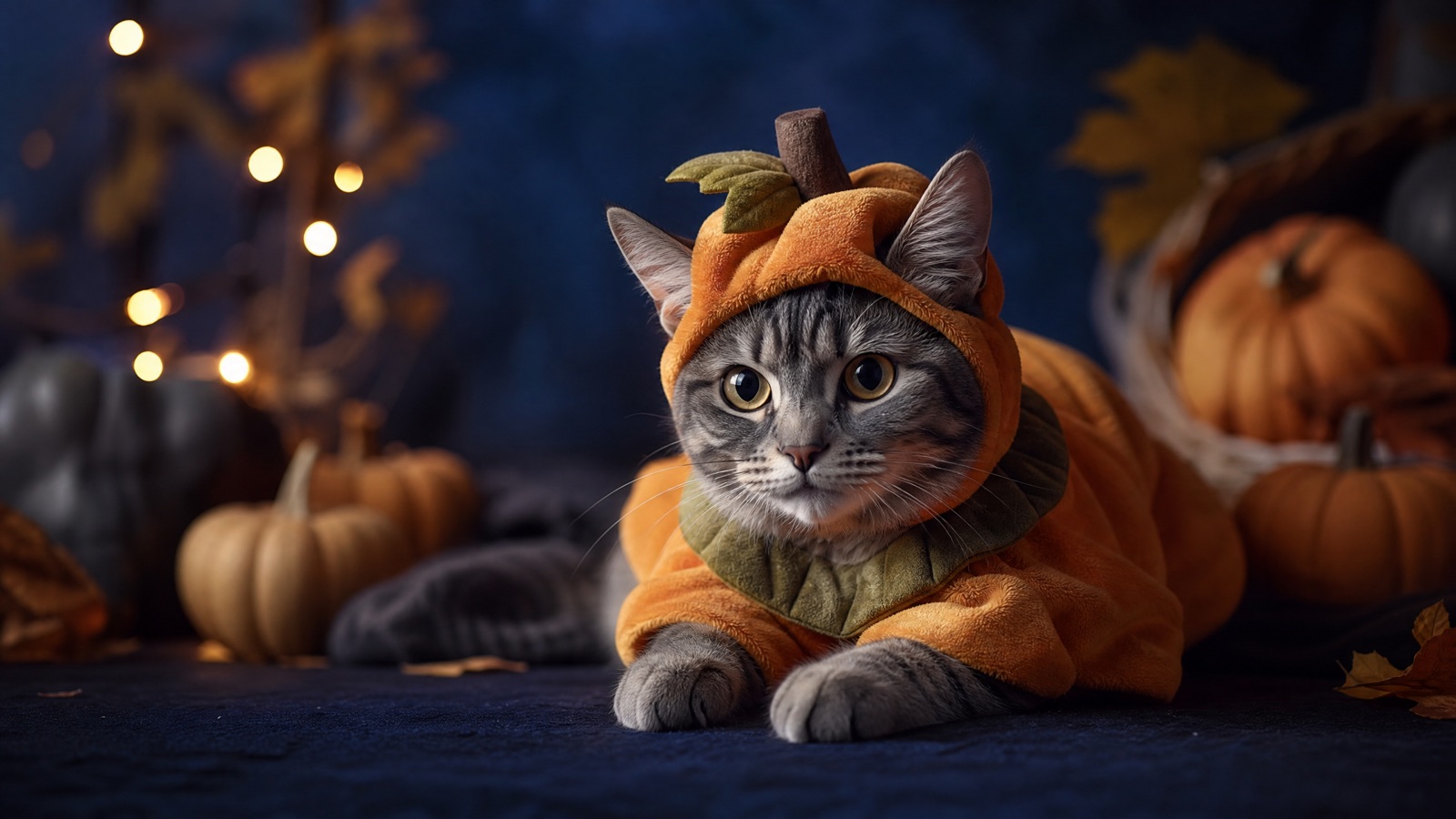
Use a clear photo of your pet sitting or standing. Preserve breed, fur color, markings, eyes, and body shape. Add one safe costume that does not cover the eyes. Keep the studio simple and the light warm.
Halloween 2026 falls on Saturday, October 31. Generate the portrait early and keep the costume concept comfortable and safe for the real animal.
A clear photo of your pet sitting or standing
A recognizable pet in one safe costume
Nano Banana 2.1, GPT Image 2, Seedream 5.0
Animate a tail twitch or drifting leaves
Pick a preset, adjust the subject and scene, then copy the prompt. The optional photo preview stays in your browser: this page does not upload it. The generator is a separate site with its own terms and pricing.
Copying the prompt does not create an account or charge credits. The hosted generator opens a separate site with its own terms and pricing.
A soft pumpkin-inspired costume with a small leaf accessory. Keep the eyes and ears clear.
A playful glow-in-the-dark dinosaur costume with soft green highlights. Do not change the animal's species.
A silly butter-stick costume for a social post. Keep the packaging shape simple and the pet's face visible.
A cozy baked-potato costume with a foil wrap. A funny concept that still reads as a portrait.
Sitting or standing, eyes visible, fur details sharp. Avoid photos where the animal is moving or partially hidden.
Name the breed, fur color, markings, eye color, ear shape, and body proportions. These are the identity anchors.
Choose a costume that leaves the eyes, nose, and mouth clear. Avoid anything that implies restriction or discomfort.
Check for extra limbs, melted paws, and changed eye color. Regenerate rather than accepting a near miss.
Use this structure as a checklist. Replace the bracketed fields, keep the protection lines, and remove anything that does not apply to your shot.
Use the uploaded pet photo as the primary reference.
Preserve: breed, fur color, markings, eye color, ear shape, body proportions, and natural anatomy.
Costume: [one safe costume], fitted naturally, eyes and nose clear.
Scene: [cozy autumn studio, warm light, miniature pumpkins].
Camera: [portrait framing, eye level, shallow depth of field].
Avoid: extra animals, changed breed, extra limbs, distorted paws, text, logos, watermarks.These notes describe where each model tends to fit. They are not a ranking. Model availability changes by provider: WaveSpeed, SeeAPI, FAL, Replicate, and Kie all serve image and video models in this class. The hosted generator shows the available models and credit cost before you run a job.
| Model | Best fit |
|---|---|
| Nano Banana 2.1 | Reference-led pet edits that preserve markings and eye color. |
| GPT Image 2 | Detailed costume instructions and clean studio setups. |
| Seedream 5.0 | Photoreal fur and fabric texture. |
The costume is simple; the markings and eyes are protected. This is the safest first pet edit.
Use the uploaded pet photo as the primary reference. Preserve the breed, fur color, markings, eye color, ear shape, body proportions, and natural anatomy. Dress the pet in a soft pumpkin-inspired costume with a small green leaf accessory, fitted naturally with the eyes and nose clear. Cozy autumn studio, warm string lights, miniature pumpkins. Eye-level portrait, 85mm lens, shallow depth of field. No extra animals, no changed breed, no distorted paws, no text, no logos, no watermarks.Green glow is the mood; the animal's face is the anchor. Keep the costume clear of the eyes.
Use the uploaded pet photo as the primary reference. Preserve the breed, fur color, markings, eye color, and body shape. Add a playful glow-in-the-dark dinosaur costume with soft green highlights, leaving the eyes and nose clear. Dark studio with a subtle fog layer. Eye-level portrait, 50mm lens, centered. Do not change the species or markings. No extra animals, no text, no logos, no watermarks.A joke costume works when the pet's face stays readable. Keep the wrapper shape simple.
Use the uploaded pet photo as the primary reference. Preserve the animal's face, ears, markings, and paws. Add a silly butter-stick costume with a simple foil wrapper shape, keeping the face fully visible. Bright kitchen counter with a simple backdrop and warm morning light. Eye-level portrait, 50mm lens. Keep the pet recognizable. No extra animals, no distorted paws, no text, no logos, no watermarks.A costume that hides the eyes loses the pet's identity and reads as unsafe. Keep the face clear.
If the breed or markings change, the portrait is no longer your pet. Protect them explicitly.
Paws are the first thing to break. Inspect all four and regenerate if one melts.
Do not present a restrictive or uncomfortable costume as a real product recommendation. This is a visual concept.
Yes. The prompt works for cats, dogs, and other pets when you describe the breed, fur, and markings clearly.
Yes. Name the blaze, socks, tail tip, and eye color. Reference-first models preserve them better than text-only prompts.
This is a generated concept, not a product recommendation. If you buy a real costume, choose one that leaves the eyes, nose, and mouth free and does not restrict movement.
Yes. Add a small ear movement, a tail twitch, or drifting autumn leaves. Keep the motion subtle so the face and markings stay stable.
Use a reference-first model that preserves fur patterns. Compare one portrait on two models before generating a set.
A sharp photo at eye level with the full face and paws visible. Avoid motion blur and heavy shadows.
Open the hosted generator, paste the prompt, and run one short test. Keep the first generation small; a clean five-second clip is easier to judge than a long one.
Flash Omni is an independent guide and is not affiliated with Google. The hosted generator is a separate product with its own terms and pricing.